

Table of Contents
One of the most effective ways to build trust when offering products or services online is to show testimonials from clients who are satisfied with our work.
If you think about it, it’s very common to read the reviews and opinions left by other buyers when we’re looking for a product. If those reviews are positive, we’re much more likely to end up purchasing. The same happens with professional services and, more specifically, with professional photography.
Therefore, we should try to ensure that when potential clients look for opinions about our services, they actually find them — and that, ideally, those opinions are positive.
1. Where Testimonials Should Appear
There are countless professional service directories (bodas.net) and review platforms (Trustpilot, Yelp) where professionals dedicated to a specific field or market niche are listed, such as directories specializing in wedding services. In addition to those, for simplicity, popularity, and control over the content, we recommend the following.
1.1. Google Business Profile
If we are registered on Google Business Profile, anyone can leave reviews and ratings about our services. This is one of the most frequently consulted sources of information for consumers. These are the reviews that appear next to your business listing in Google search results and on Google Maps.
To get these reviews, if you don’t have many yet, you can encourage your clients to leave them using the Google Maps app. Do this once the work is finished and the clients are happy with it.
1.2. Facebook
Here you can have a bit more control, since the visitors to your Facebook page are usually your followers. Just like in the previous case, when you have a satisfied client, you can ask them to visit your Facebook profile and leave you a review.
1.3. Your website
This is where you have the most control, since you can filter the reviews or add them yourself—always without inventing them. The rest of the article is dedicated to this.
2. How to Format Testimonials on Your Website
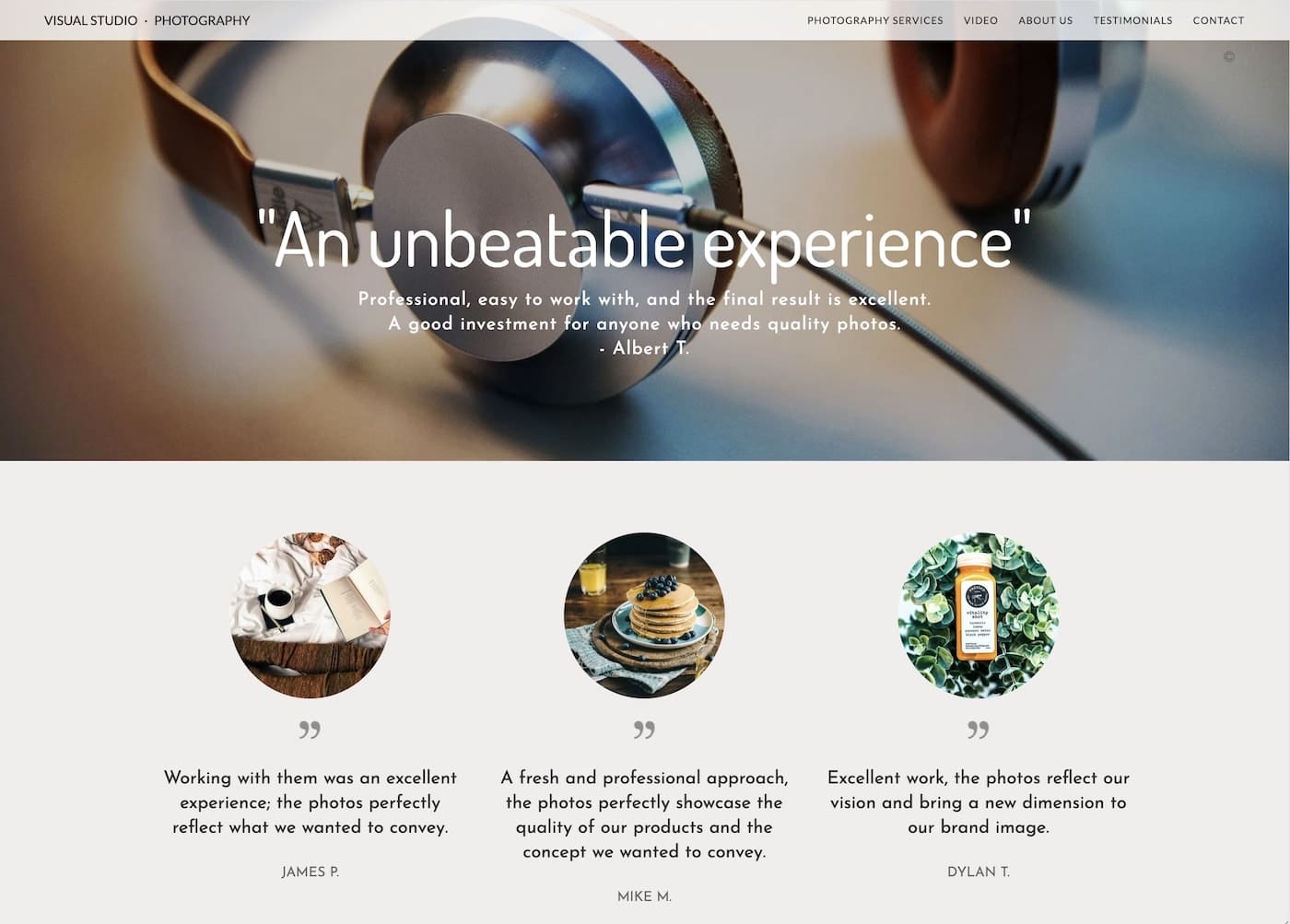
It’s important for the testimonials to be varied, short, and concise. No one is going to read a 1,000-word recommendation letter. A few sentences, the author’s name, and, if possible, a photo of that person, a photo from the shoot you did for them, an image of their company logo, or any other image that represents them is enough. Of course, before publishing any of this, you must first ask your client for permission.
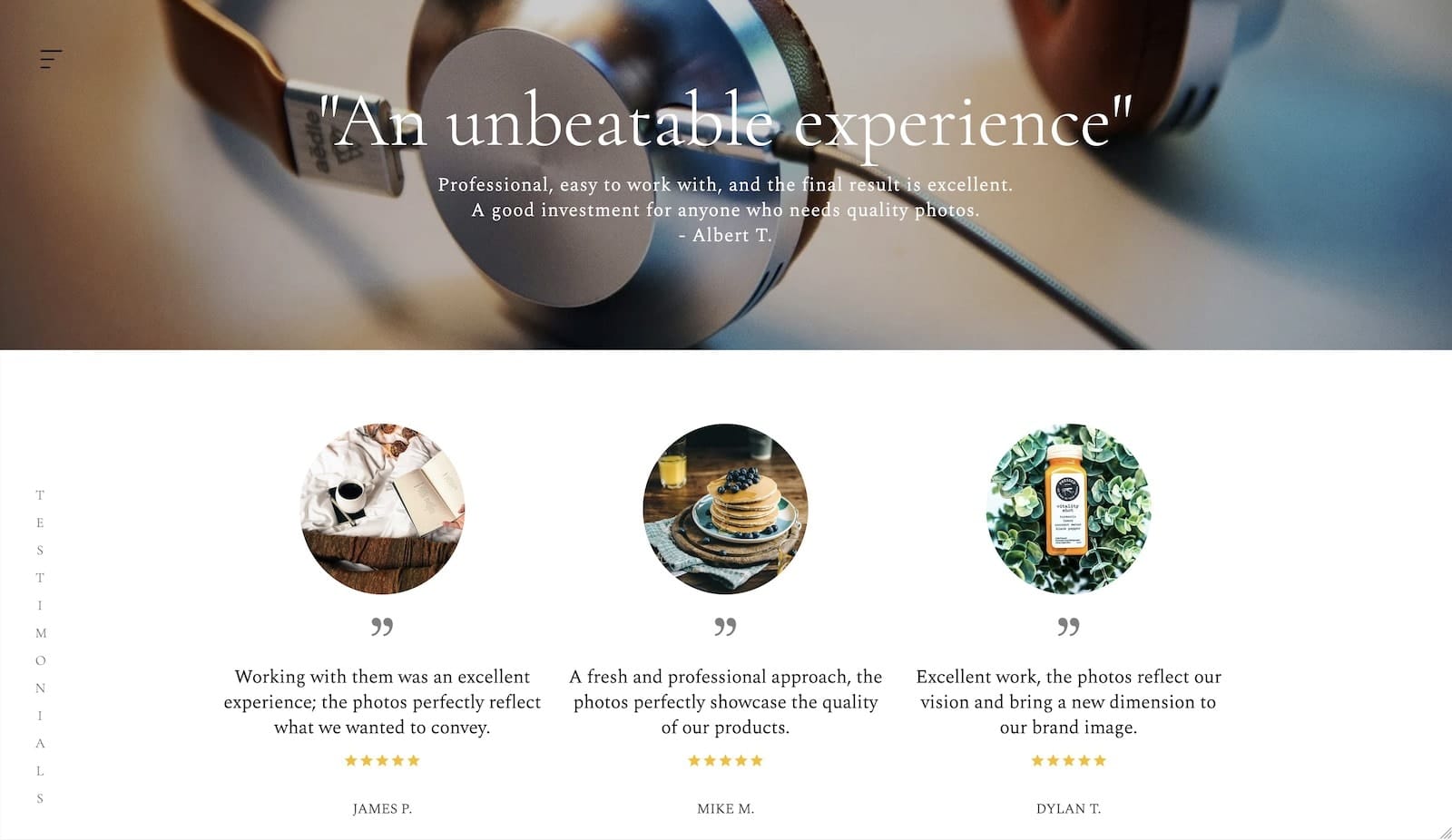
It’s also advisable to accompany the testimonial with a rating in the style of Google Maps or Facebook, with a score from 1 to 5 stars. This is a very familiar element that builds trust.
3. How to Collect Testimonials
If a professional makes an effort to provide good service to their clients, testimonials and expressions of gratitude come naturally. All you need to do then is ask the client to let you use a line from that email or that instant message. Generally, they’ll be happy to give you permission.
If we don’t yet have testimonials or don’t have enough, we can ask clients with whom we have a good relationship. It’s important to be clear and for the client to be sincere, because that will show in the testimonial itself and in the trust it conveys.
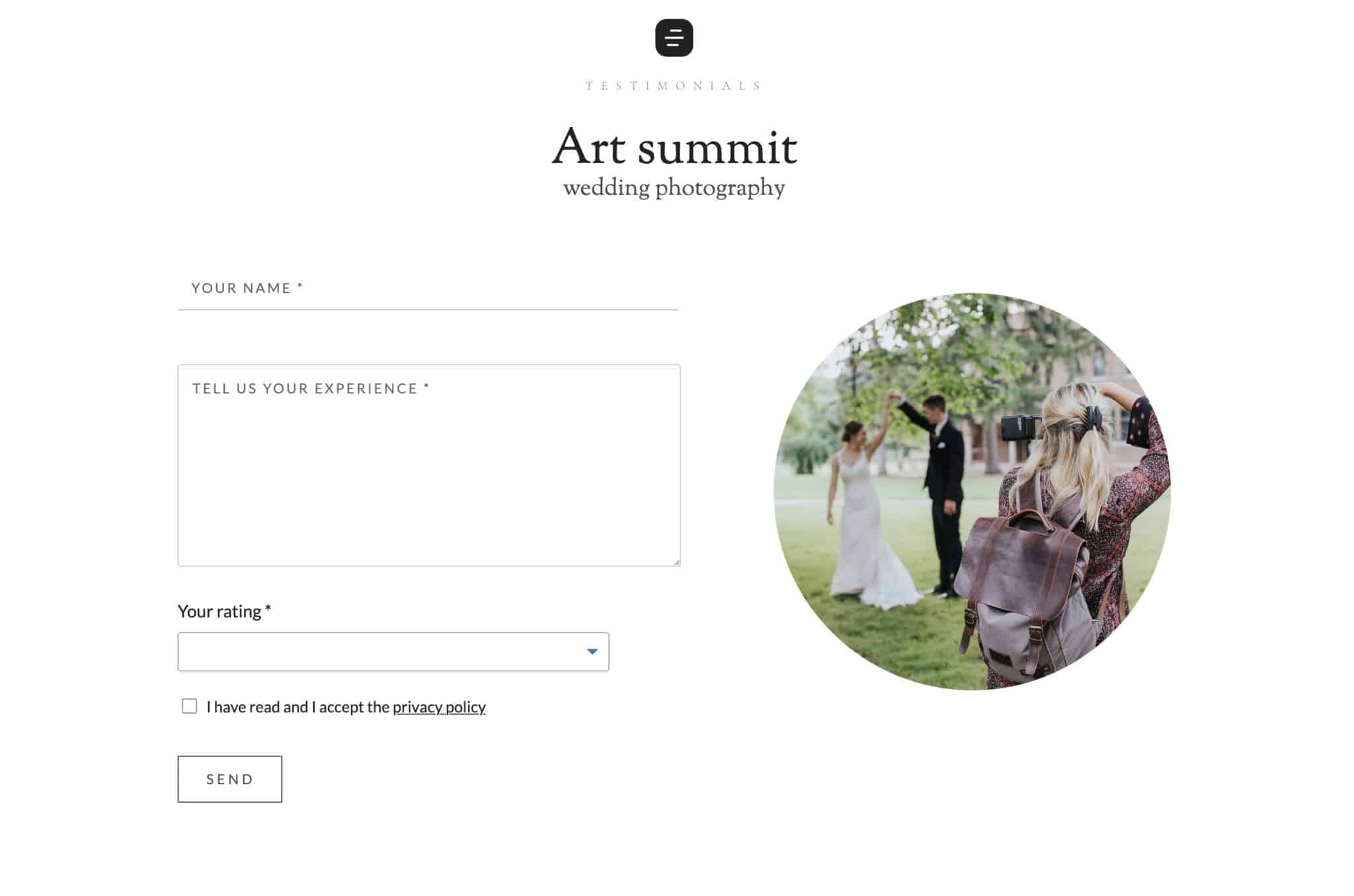
In addition to actively requesting reviews, you can add a form so your clients can leave them directly on your website. A name field, a text field, and a dropdown from 1 to 5 for the rating is enough. In Bluekea it’s very easy to create this type of custom form, either as a contact page or as a form module you can add to any section of the site—often alongside the testimonials themselves, without taking attention away from them.
4. Building Credibility and Handling Negative Reviews
To increase the credibility of the testimonials on your website, consider including links to clients’ public profiles (with their permission) or showing screenshots of messages. It’s also helpful to complement your website testimonials with links to reviews on third-party platforms, such as Google or Trustpilot, where users can verify their authenticity.
On the other hand, negative reviews are an opportunity to demonstrate your professionalism. Always respond politely, acknowledge the issue (if there is one), and offer a solution, such as a partial refund or a new service. For example: “We’re sorry your experience was not as expected. We’d love to make it up to you with a new photo session.” This shows other clients that you care about customer satisfaction. If the client is not in the right, calmly explain your side of the story. It’s well known that some clients are more difficult than others, and if you present your case well, you can completely neutralize the negative impact.
5. Best Places to Display Testimonials on Your Website
If your website is built with Bluekea, it’s very easy to include testimonials in any section. Simply create a module of this type and add the reviews along with an image and a name. You also have the option to include a 1-to-5 star rating for each testimonial.
It’s important for testimonials to be clearly visible. You can create a section dedicated exclusively to them and/or add them to pages you consider important to encourage and build trust with clients: a contact form, galleries showcasing your best work, the section where you display prices, sell, or offer services, etc.
6. Testimonials and Ratings in Google Search Results
When testimonials meet certain requirements, the chances of them appearing alongside the link to our website in Google results increase significantly. These requirements are mainly:
- The testimonials are genuine and written in natural language.
- They are accompanied by an image and a name.
- They include a 1-to-5 star rating.
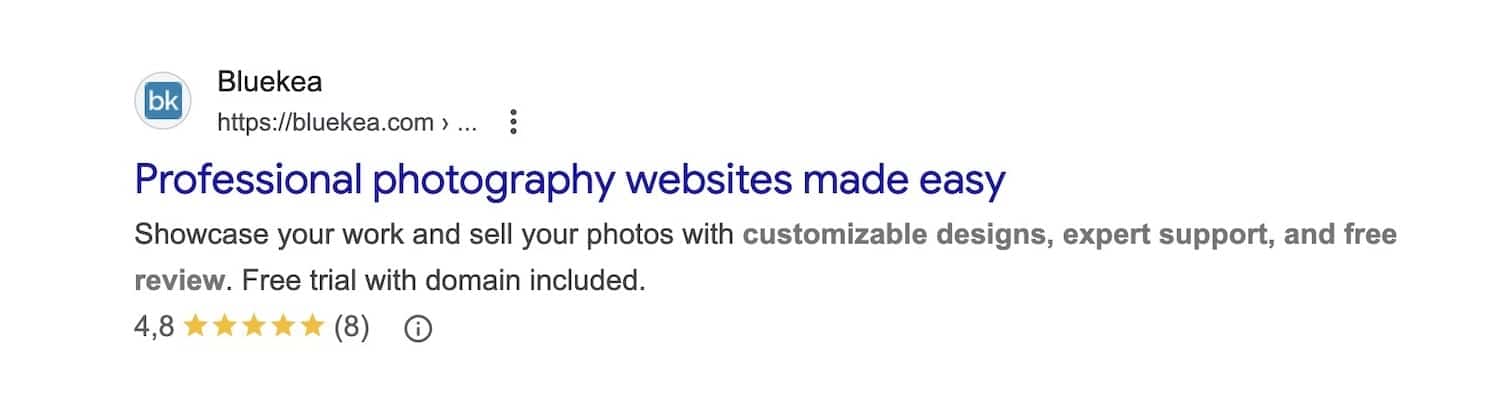
It is necessary for the reviews to be properly integrated into the website. Simply typing them into a regular text block is not enough; the site must be prepared to present them to search engines in an organized way, using what is known as rich snippets. At Bluekea, we already do this; if you use another system, you can check with your provider.
7. What if Users Ask ChatGPT Instead of Google?
At the time of publishing this article, more and more people are opting to ask AI chats like ChatGPT, Claude, or Mistral instead of using search engines like Google. It’s a gradual shift; there’s still a large percentage of users who rely on traditional search engines.
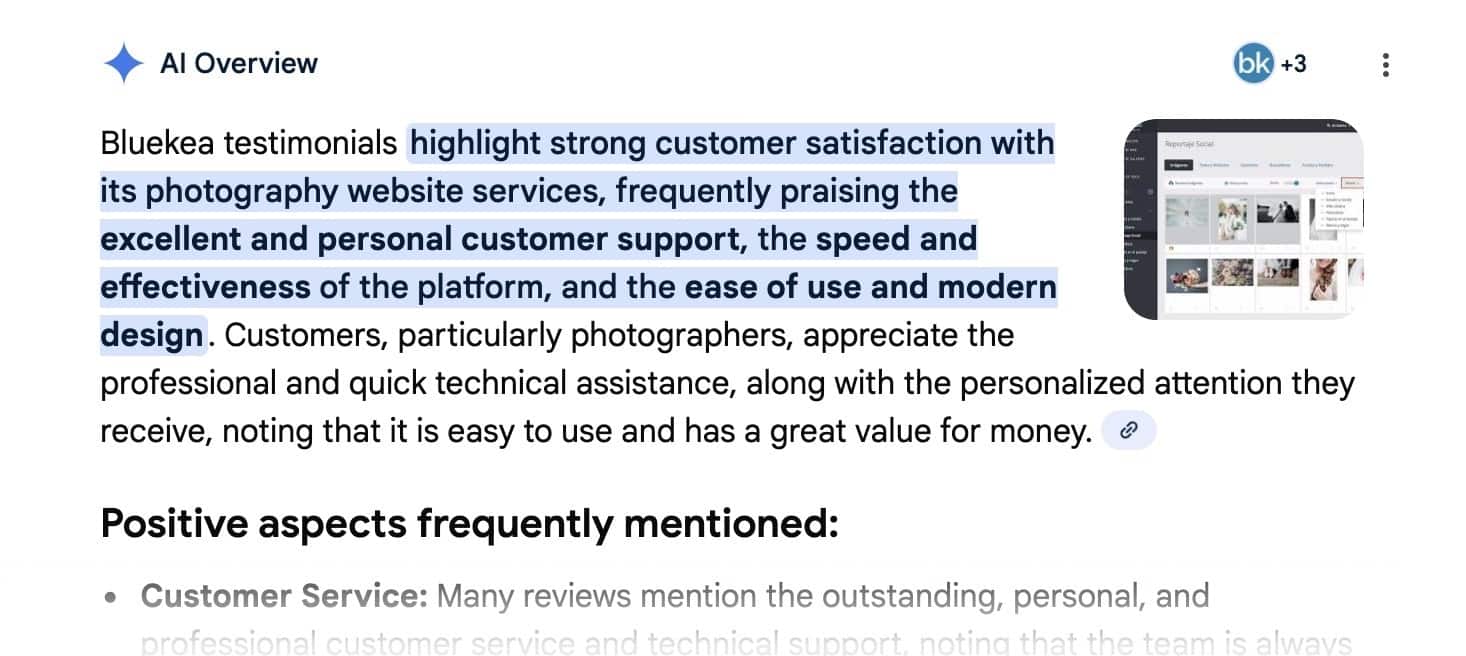
If we ask an AI chat about customer opinions of Bluekea, it reads the website and finds the testimonials.
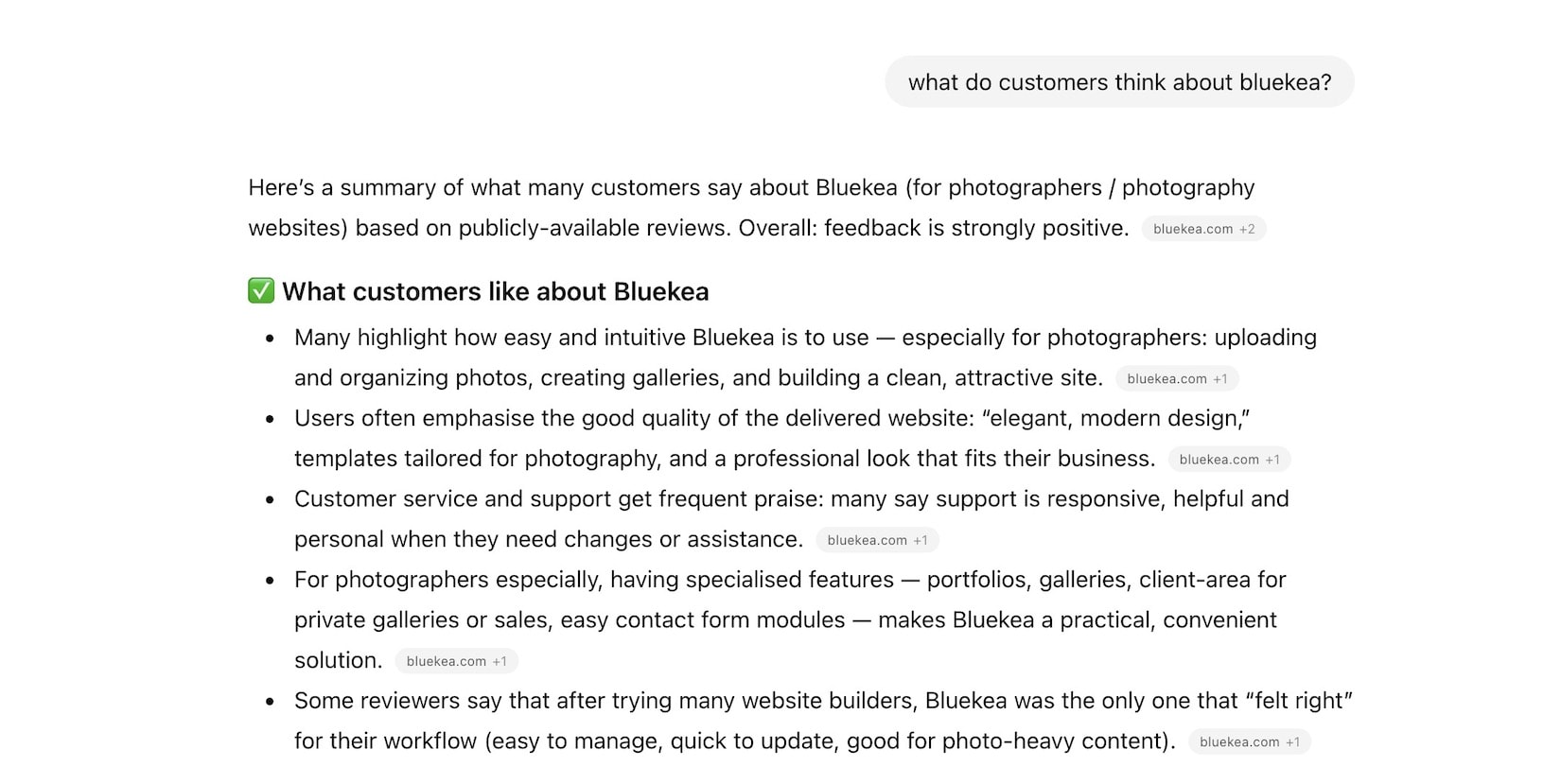
So one might wonder, what’s the point of putting so much effort into showing reviews on Google if many people won’t see them? It’s not exactly like that, since these chats, just like Google, rely on information already available on the Internet. If someone asks ChatGPT, “Tell me what customers think about the photography services of…,” that information will come from reviews you’ve published on Google Business Profile, social media, and, of course, your website. The chat simply finds what already exists and presents it in a more organized and readable way.
Recently, a photographer with a Bluekea website told us that one of his latest clients came recommended via ChatGPT, just a few weeks after he added a testimonials page to his site. The client had asked the chat for a recommendation for a wedding photographer in his area, and the AI found the website and “read” the reviews.
Final Thoughts
In conclusion, showcasing customer testimonials is one of the most effective ways to build trust and credibility online. Whether displayed on your website, social media, or Google Business Profile, authentic reviews help potential clients feel confident in choosing your services. By collecting, formatting, and strategically placing testimonials, and by responding professionally to feedback, you not only highlight the quality of your work but also strengthen your brand’s reputation. In the age of AI and online search, these endorsements continue to be a powerful tool to attract and reassure new clients.
You might also like




An introduction to Photoshop AI: how to change backgrounds, remove elements, and extend images
learn more